Facial landmarks
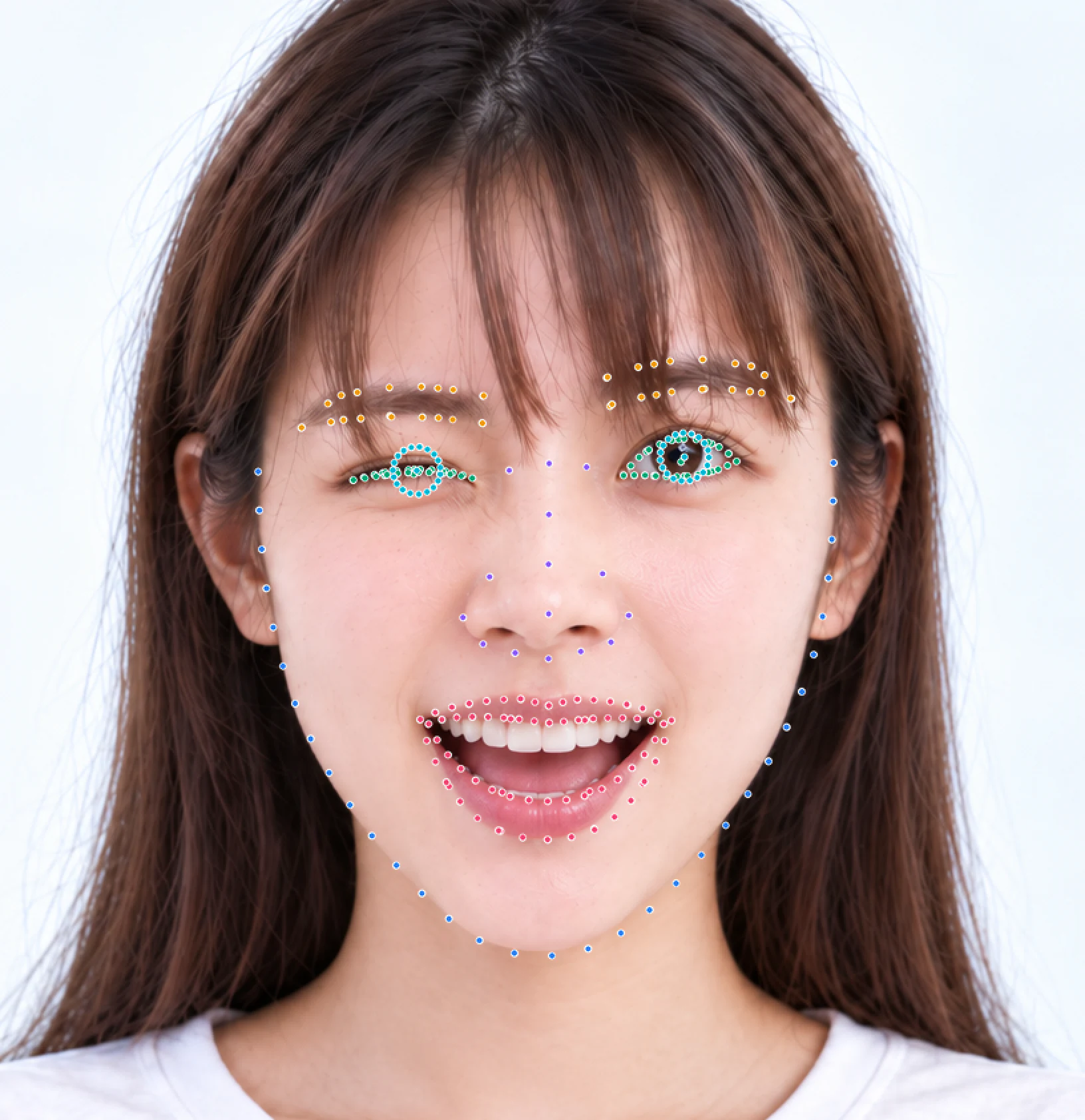
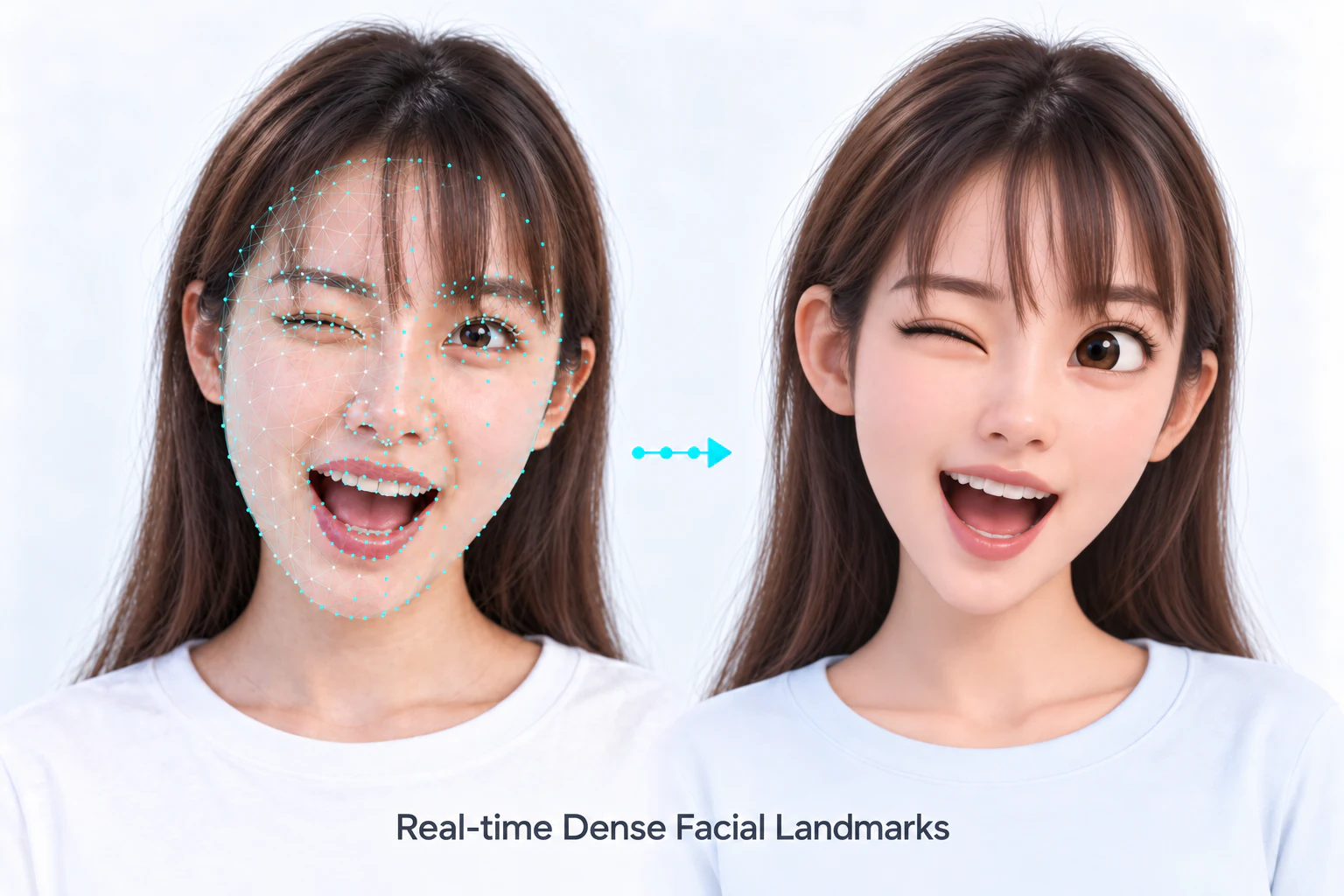
Landmarks describe positions on a detected face. Use the five-point output for alignment and the dense output for face contours, overlays or region-based image processing. Read both from the face token after detection.
Read points
Read the five alignment points from the detection token. The dense-point helper below shows allocation using the queried point count. Both calls use faces.tokens[i] from successful tracking.
static HResult print_five_points(HFFaceBasicToken token) {
    HPoint2f points[5];
    HResult status = HFGetFaceFiveKeyPointsFromFaceToken(token, points, 5);
    if (status != HSUCCEED) return status;
    for (HInt32 i = 0; i < 5; ++i) {
        printf("%d: %.2f, %.2f\n", i, points[i].x, points[i].y);
    }
    return HSUCCEED;
}
After FaceDetectAndTrack, read both sets of points directly from each FaceTrackWrap.
for (const auto& face : faces) {
    auto fivePoints = session.GetFaceFiveKeyPoints(face);
    auto densePoints = session.GetFaceDenseLandmark(face);
    std::cout << fivePoints.size() << " " << densePoints.size() << '\n';
    for (const auto& point : densePoints) {
        std::cout << point.GetX() << ", " << point.GetY() << '\n';
    }
}
Pass a token from the current HFMultipleFaceData before the next tracking call, or from an open IFFaceSnapshot. The methods write into the provided arrays. Check the returned BOOL and NSError.
#import <InspireFace/InspireFaceApple.h>
#include <stdlib.h>

static BOOL ReadLandmarks(HFFaceBasicToken token, NSError **error) {
    HInt32 count = 0;
    if (![IFFaceToken getDenseLandmarkCount:&count error:error]) return NO;
    if (count <= 0) return IFCheck(HERR_INVALID_PARAM, error);
    HPoint2f five[5];
    HPoint2f *dense = calloc((size_t)count, sizeof(*dense));
    if (dense == NULL) return IFCheck(HERR_INVALID_PARAM, error);
    BOOL ok = [IFFaceToken getFiveKeyPoints:token into:five capacity:5 error:error] &&
        [IFFaceToken getDenseLandmarks:token into:dense capacity:count error:error];
    if (ok) {
        for (HInt32 i = 0; i < count; ++i) {
            NSLog(@"%d: %.2f, %.2f", i, dense[i].x, dense[i].y);
        }
    }
    free(dense);
    return ok;
}
Call with faces.tokens[i] inside session.withUnsafeFaces(in:), or while the owning snapshot stays open. The output arrays own the copied coordinates. For a video loop, allocate them once and reuse them after querying the point count.
import InspireFaceSwift

func readLandmarks(token: FaceToken) throws {
    var count: Int32 = 0
    try FaceTokenUtilities.getDenseLandmarkCount(&count)
    guard count > 0 else {
        throw NSError(domain: IFErrorDomain, code: Int(HERR_INVALID_PARAM))
    }
    var five = [HPoint2f](repeating: HPoint2f(), count: 5)
    var dense = [HPoint2f](repeating: HPoint2f(), count: Int(count))
    try five.withUnsafeMutableBufferPointer {
        try FaceTokenUtilities.getFiveKeyPoints(token, into: $0)
    }
    try dense.withUnsafeMutableBufferPointer {
        try FaceTokenUtilities.getDenseLandmarks(token, into: $0)
    }
    for (index, point) in dense.enumerated() {
        print("\(index): \(point.x), \(point.y)")
    }
}
Call readLandmarks(faces.tokens[i]) after successful tracking using the Java SDK. The token borrows native memory: keep its session or snapshot open and finish reading before that result is replaced. The JNI calls fill the HPoint2f[] elements; the returned coordinates are Java values that can be retained. Query the dense point count instead of fixing it in the application.
import com.insightface.sdk.inspireface.jni.NativeTypes.*;
import static com.insightface.sdk.inspireface.jni.Native.*;
import static com.insightface.sdk.inspireface.jni.NativeConstants.*;
import static com.insightface.sdk.inspireface.jni.InspireFaceException.check;

public final class LandmarkExample {
    public static void readLandmarks(HFFaceBasicToken token) {
        int[] count = new int[1];
        check(HFGetNumOfFaceDenseLandmark(count));
        if (count[0] <= 0) throw new IllegalStateException("No landmark model");
        HPoint2f[] five = new HPoint2f[5];
        HPoint2f[] dense = new HPoint2f[count[0]];
        check(HFGetFaceFiveKeyPointsFromFaceToken(token, five, five.length));
        check(HFGetFaceDenseLandmarkFromFaceToken(token, dense, dense.length));
        System.out.println("five=" + five.length + " dense=" + dense.length);
        for (HPoint2f point : dense) {
            System.out.println(point.x + ", " + point.y);
        }
    }
}
Android 1.2.4.post1 provides both five-point and dense landmarks. Use DETECT_MODE_ALWAYS_DETECT for independent photos, or reuse a DETECT_MODE_LIGHT_TRACK session for video. Detection tokens and the returned Point2f[] use Java-owned storage. Transform the points to preview coordinates before drawing.
// Use ALWAYS_DETECT for independent photos, or LIGHT_TRACK for video.
MultipleFaceData faces = InspireFace.ExecuteFaceTrack(session, stream);
if (faces == null) throw new IllegalStateException("Detection failed");
for (int i = 0; i < faces.detectedNum; i++) {
    Point2f[] five = InspireFace.GetFaceFiveKeyPointsFromFaceToken(faces.tokens[i]);
    Point2f[] dense = InspireFace.GetFaceDenseLandmarkFromFaceToken(faces.tokens[i]);
    if (five == null || five.length != 5 || dense == null || dense.length == 0) {
        throw new IllegalStateException("Landmarks are unavailable");
    }
    System.out.println("five=" + five.length + " dense=" + dense.length);
    for (Point2f point : dense) {
        System.out.println(point.x + ", " + point.y);
    }
}
Use an initialized Session and the current frame's ImageStream. Both landmark calls return a flat Float32Array in x0, y0, x1, y1, … order. This helper releases the face result; the caller retains the session and closes the stream after all frame processing.
import { ImageStream, InspireFace, Session }
  from '@hyperinspire/inspireface';

function readLandmarks(session: Session, stream: ImageStream): void {
  const result = session.track(stream);
  try {
    for (const face of result.faces) {
      const five = InspireFace.getFiveKeyPoints(face);
      const dense = InspireFace.getDenseLandmarks(face);
      console.info(`five=${five.length / 2} dense=${dense.length / 2}`);
      for (let i = 0; i < dense.length; i += 2) {
        console.info(`${dense[i]}, ${dense[i + 1]}`);
      }
    }
  } finally {
    session.releaseFaceResult(result);
  }
}
The session is initialized and image is the original BGR input.
# session is initialized; image is the BGR frame used for this detection.
faces = session.face_detection(image)
for face in faces:
    five_points = session.get_face_five_key_points(face)
    dense_points = session.get_face_dense_landmark(face)
    print(five_points.shape, dense_points.shape)
    for x, y in dense_points:
        cv2.circle(image, (round(float(x)), round(float(y))), 1, (0, 220, 0), -1)
Read all outputs that need the original pixels before drawing on the image, or draw on a copy. In Python, five-point output has shape (5, 2); the current dense engines use 106 points. Query the native point count, then allocate the C array to that size.
Read points in C
This helper prints the points in one valid detection token and returns the first error. It uses the caller's existing SDK session and detection result.
#include <stdio.h>
#include <stdlib.h>
#include <inspireface.h>

static HResult print_landmarks(HFFaceBasicToken token) {
    HInt32 count = 0;
    HResult status = HFGetNumOfFaceDenseLandmark(&count);
    if (status != HSUCCEED) return status;
    if (count <= 0) return HERR_INVALID_PARAM;
    HPoint2f *points = (HPoint2f *)malloc((size_t)count * sizeof(*points));
    if (points == NULL) return HERR_INVALID_PARAM;
    status = HFGetFaceDenseLandmarkFromFaceToken(token, points, count);
    if (status == HSUCCEED) {
        for (HInt32 i = 0; i < count; ++i) {
            printf("%d: %.2f, %.2f\n", i, points[i].x, points[i].y);
        }
    }
    free(points);
    return status;
}
Call this with faces.tokens[i] before a later tracking call replaces the session's borrowed results. An owned detection snapshot is another option when processing results after the next frame.
Snapshot and latency
A snapshot keeps detection results stable across later frames and is easier to pass between processing stages. Creating it copies data and adds latency. Reading the current session result directly avoids that copy and suits a single video stream; finish using its tokens before the next tracking call or session reset.
In the native C++ API, use session.GetFaceDenseLandmark(face) and session.GetFaceFiveKeyPoints(face) with a FaceTrackWrap. See C++ integration for the surrounding detection loop.
Select a landmark engine
Available landmark engines:
| Engine | Enum |
|---|---|
| HyperLandmarkV2 0.25, default | HF_LANDMARK_HYPLMV2_0_25 |
| HyperLandmarkV2 0.50 | HF_LANDMARK_HYPLMV2_0_50 |
| InsightFace 2D106 tracking | HF_LANDMARK_INSIGHTFACE_2D106_TRACK |
Select the engine before creating the session: HFSwitchLandmarkEngine in C and Java, [IFRuntime setLandmarkEngine:HF_LANDMARK_HYPLMV2_0_25 error:&error] in Objective-C, try InspireFaceRuntime.setLandmarkEngine(.hyperLandmark025) in Swift, InspireFace.switchLandmarkEngine in HarmonyOS or isf.switch_landmark_engine in Python. The selection applies to newly created sessions. Use a resource pack containing the selected model.
The Android AAR also includes the complete JNI API. Select an engine with Native.HFSwitchLandmarkEngine:
import com.insightface.sdk.inspireface.jni.InspireFaceException;
import com.insightface.sdk.inspireface.jni.Native;
import static com.insightface.sdk.inspireface.jni.NativeConstants.*;

// After GlobalLaunch and before CreateSession.
InspireFaceException.check(Native.HFSwitchLandmarkEngine(HF_LANDMARK_HYPLMV2_0_25));
Start video integration with the default engine, then compare landmark stability and processing time on representative clips when choosing an engine.
Point order and coordinates
This diagram shows the HyperLandmarkV2 point order. Keep region indices matched to the selected engine when extracting eye, mouth or contour points.
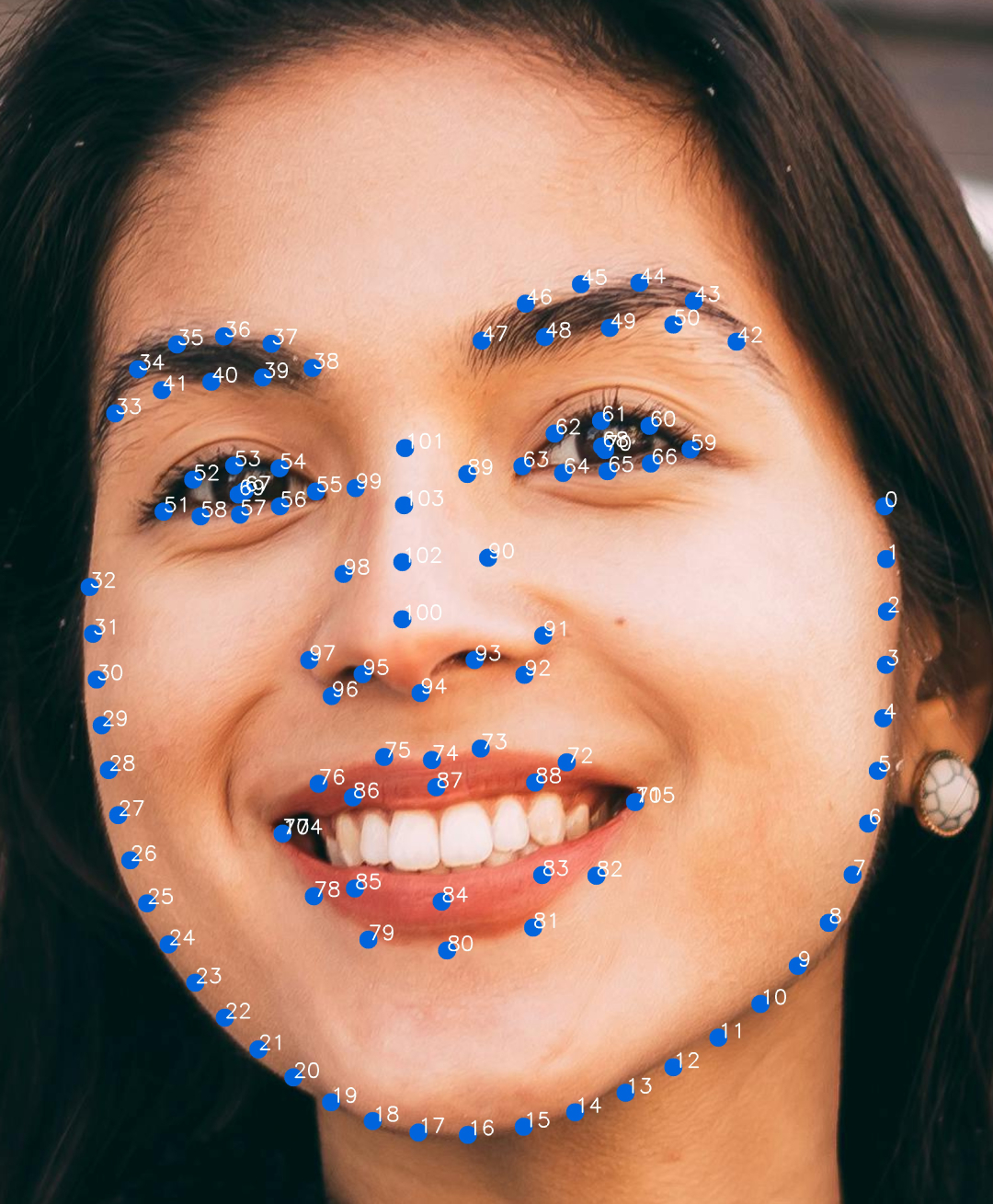
Point coordinates belong to the input frame. Apply the preview's crop, scale and mirror transform before drawing them on a camera UI. Image inputs and coordinates explains the distinction.
Smoothing video landmarks
Use a tracking mode for an ordered video sequence and tune the smoothing ratio and cache length through the tracking settings. More smoothing can reduce jitter but also adds lag during fast movement. Evaluate the setting on a short sequence containing still poses, turns and temporary occlusion.
Use a separate session for each camera so each tracker keeps its own history. On Android, InspireFace.SetLandmarkAugmentationNum(session, num) adjusts landmark augmentation passes. The default is 1; the value must be greater than zero. More passes add computation; compare point stability and per-frame latency together.
More landmark model options
HyperLandmark offers multiple landmark models, with versions focused on high accuracy, stable video tracking or low latency. Models also use different point counts and layouts, so you can choose the facial regions and level of detail that fit your application and target device.
For model selection and commercial licensing, contact contact@insightface.ai with your target platform, landmark requirements and intended use.