
Liveness detection
InspireFace has RGB anti-spoofing and facial-action analysis. They produce different signals: one scores a face image, while the other detects actions over time. An application can use these signals in a verification flow, with capture rules and thresholds appropriate to its cameras.
Choose the input and interaction
| Approach | Input | What your application receives |
|---|---|---|
| RGB anti-spoofing | A face in an RGB camera image | A liveness confidence score. |
| Facial actions | Consecutive frames of the same tracked face | Eye-state scores and events such as blink or head shake. |
| Passive liveness [Plus] | A guided short capture | A service-side liveness result for the captured sequence. |
| Flash liveness [Plus] | Capture synchronized with screen illumination | A service-side liveness result for the captured sequence. |
Capture a clear, upright face that is large enough and fully inside the frame. Once these input checks pass, run the selected liveness flow.
RGB anti-spoofing
Enable liveness when creating the session, then request it in the pipeline. Results follow the order of the input faces. Use matching native headers and libraries; the Android snippets use Java 1.2.0.
Create the session with HF_ENABLE_LIVENESS. This helper runs detection and analysis on the same valid stream. Include <stdio.h> and <inspireface.h>.
static HResult process_rgb_liveness(HFSession session, HFImageStream stream) {
    HFMultipleFaceData faces = {0};
    HResult status = HFExecuteFaceTrack(session, stream, &faces);
    if (status != HSUCCEED || faces.detectedNum == 0) return status;
    status = HFMultipleFacePipelineProcessOptional(
        session, stream, &faces, HF_ENABLE_LIVENESS);
    if (status != HSUCCEED) return status;
    HFRGBLivenessConfidence scores = {0};
    status = HFGetRGBLivenessConfidence(session, &scores);
    if (status != HSUCCEED) return status;
    for (HInt32 i = 0; i < faces.detectedNum && i < scores.num; ++i) {
        printf("face=%d liveness=%.4f\n", i, scores.confidence[i]);
    }
    return HSUCCEED;
}
Create the session with options.enable_liveness = true. faces must come from successful detection on this same frame.
inspire::CustomPipelineParameter request;
request.enable_liveness = true;
if (!faces.empty()) {
    int status = session.MultipleFacePipelineProcess(frame, request, faces);
    if (status != 0) throw std::runtime_error("Liveness analysis failed");
    auto scores = session.GetRGBLivenessConfidence();
    for (size_t i = 0; i < faces.size(); ++i) {
        std::cout << i << " " << scores.at(i) << '\n';
    }
}
Enable HF_ENABLE_LIVENESS when creating IFSession. Pass that session and the current open stream to this helper, and check BOOL/NSError. The scores borrow the session cache; read or copy them before the next pipeline call.
#import <InspireFace/InspireFaceApple.h>

static BOOL ReadRGBLiveness(IFSession *session, IFImageStream *stream, NSError **error) {
    HFMultipleFaceData faces = {0};
    if (![session trackStream:stream borrowedResult:&faces error:error]) return NO;
    if (faces.detectedNum == 0) return YES;
    if (![session processStream:stream faces:&faces options:HF_ENABLE_LIVENESS error:error]) return NO;
    HFRGBLivenessConfidence scores = {0};
    if (![session getBorrowedRGBLiveness:&scores error:error]) return NO;
    if (scores.num != faces.detectedNum) return IFCheck(HERR_INVALID_PARAM, error);
    for (HInt32 i = 0; i < scores.num; ++i) {
        NSLog(@"face=%d liveness=%.4f", i, scores.confidence[i]);
    }
    return YES;
}
Create the session with SessionConfiguration(features: [.rgbLiveness]). This helper tracks and processes the same stream. SDK failures throw; borrowed scores are consumed synchronously inside the closure.
import InspireFaceSwift

func readRGBLiveness(session: FaceSession, stream: ImageStream) throws {
    try session.withUnsafeFaces(in: stream) { borrowed in
        guard borrowed.count > 0 else { return }
        var faces = borrowed.cValue
        try session.process(stream, faces: &faces, options: Int32(FaceFeatures.rgbLiveness.rawValue))
        var scores = HFRGBLivenessConfidence()
        try session.getBorrowedRGBLiveness(&scores)
        guard scores.num == faces.detectedNum else {
            throw NSError(domain: IFErrorDomain, code: Int(HERR_INVALID_PARAM))
        }
        for i in 0..<borrowed.count {
            print("face=\(i) liveness=\(scores.confidence[i])")
        }
    }
}
Create the session with InspireFace.CreateCustomParameter().enableLiveness(true). This block receives an open ImageStream; release it after reading the results.
MultipleFaceData faces = InspireFace.ExecuteFaceTrack(session, stream);
if (faces == null) throw new IllegalStateException("Detection failed");
if (faces.detectedNum > 0) {
    CustomParameter request = InspireFace.CreateCustomParameter().enableLiveness(true);
    if (!InspireFace.MultipleFacePipelineProcess(session, stream, faces, request)) {
        throw new IllegalStateException("Liveness analysis failed");
    }
    RGBLivenessConfidence scores = InspireFace.GetRGBLivenessConfidence(session);
    if (scores == null) throw new IllegalStateException("No liveness results");
    for (int i = 0; i < faces.detectedNum && i < scores.num; i++) {
        System.out.println(i + " " + scores.confidence[i]);
    }
}
Create the session with featureMask: Feature.LIVENESS after launching the SDK. Pass the current frame's open stream to this helper, then close that stream after processing. Retain the session across video frames and close it when the sequence ends.
import { Feature, ImageStream, Session }
  from '@hyperinspire/inspireface';

function readRgbLiveness(session: Session, stream: ImageStream): void {
  const faces = session.track(stream);
  try {
    if (faces.detectedNum === 0) return;
    const result = session.processPipeline(stream, faces, Feature.LIVENESS);
    for (let i = 0; i < faces.detectedNum; ++i) {
      console.info(`face=${i} liveness=${result.rgbLiveness[i]}`);
    }
  } finally {
    session.releaseFaceResult(faces);
  }
}
The SDK is launched and image is a BGR array.
# The SDK is launched and image is a BGR frame.
options = isf.HF_ENABLE_LIVENESS
with isf.InspireFaceSession(options, auto_launch=False) as session:
    faces = session.face_detection(image)
    results = session.face_pipeline(image, faces, options) if faces else []
    for face, result in zip(faces, results):
        print(face.location, result.rgb_liveness_confidence)
In C, use HFMultipleFacePipelineProcessOptional with HF_ENABLE_LIVENESS, then read HFGetRGBLivenessConfidence. Check the processing status before reading the returned confidence array.
A higher score favors a live face. Use the score with a threshold selected for the target camera. Evaluate live captures, printed photos and screen replays across the expected lighting, distance and image quality, then choose the threshold from the observed false accepts and false rejects.
For video, smooth the display with a short window of recent scores from the same track. Clear the window when the track changes or the face is lost.
Facial actions
Use HF_ENABLE_INTERACTION with a tracking session and feed consecutive frames. Blink and head-movement events are detected from changes over time.
Create the session with HF_ENABLE_INTERACTION | HF_ENABLE_FACE_POSE and HF_DETECT_MODE_LIGHT_TRACK. Keep it alive across frames. Pose enables the head-movement signals alongside eye and mouth actions.
static HResult process_actions(HFSession session, HFImageStream stream) {
    HFMultipleFaceData faces = {0};
    HResult status = HFExecuteFaceTrack(session, stream, &faces);
    if (status != HSUCCEED || faces.detectedNum == 0) return status;
    status = HFMultipleFacePipelineProcessOptional(
        session, stream, &faces, HF_ENABLE_INTERACTION);
    if (status != HSUCCEED) return status;
    HFFaceInteractionState eyes = {0};
    HFFaceInteractionsActions actions = {0};
    status = HFGetFaceInteractionStateResult(session, &eyes);
    if (status != HSUCCEED) return status;
    status = HFGetFaceInteractionActionsResult(session, &actions);
    if (status != HSUCCEED) return status;
    for (HInt32 i = 0; i < faces.detectedNum && i < actions.num && i < eyes.num; ++i) {
        printf("track=%d left=%.3f right=%.3f blink=%d shake=%d\n",
               faces.trackIds[i], eyes.leftEyeStatusConfidence[i],
               eyes.rightEyeStatusConfidence[i], actions.blink[i], actions.shake[i]);
    }
    return HSUCCEED;
}
Create a DETECT_MODE_LIGHT_TRACK session with enable_interaction_liveness and enable_face_pose set to true. Run this block once per frame, with faces from that frame’s successful FaceDetectAndTrack call.
inspire::CustomPipelineParameter request;
request.enable_interaction_liveness = true;
if (!faces.empty()) {
    int status = session.MultipleFacePipelineProcess(frame, request, faces);
    if (status != 0) throw std::runtime_error("Action analysis failed");
    auto eyes = session.GetFaceInteractionState();
    auto actions = session.GetFaceInteractionAction();
    for (size_t i = 0; i < faces.size(); ++i) {
        std::cout << faces[i].trackId << " "
                  << eyes.at(i).left_eye_status_confidence << " "
                  << eyes.at(i).right_eye_status_confidence << " "
                  << actions.at(i).blink << " " << actions.at(i).shake << '\n';
    }
}
Create one HF_DETECT_MODE_LIGHT_TRACK session with HF_ENABLE_INTERACTION | HF_ENABLE_FACE_POSE, and keep it for the whole sequence. Invoke this helper once per ordered frame. Copy values for the UI before the next pipeline call, and check its BOOL/NSError result.
#import <InspireFace/InspireFaceApple.h>

static BOOL ReadActions(IFSession *session, IFImageStream *stream, NSError **error) {
    HFMultipleFaceData faces = {0};
    if (![session trackStream:stream borrowedResult:&faces error:error]) return NO;
    if (faces.detectedNum == 0) return YES;
    if (![session processStream:stream faces:&faces options:HF_ENABLE_INTERACTION error:error]) return NO;
    HFFaceInteractionState eyes = {0};
    HFFaceInteractionsActions actions = {0};
    if (![session getBorrowedInteractionState:&eyes error:error] ||
        ![session getBorrowedInteractionActions:&actions error:error]) return NO;
    if (eyes.num != faces.detectedNum || actions.num != faces.detectedNum)
        return IFCheck(HERR_INVALID_PARAM, error);
    for (HInt32 i = 0; i < faces.detectedNum; ++i) {
        NSLog(@"track=%d left=%.3f right=%.3f blink=%d shake=%d",
            faces.trackIds[i], eyes.leftEyeStatusConfidence[i],
            eyes.rightEyeStatusConfidence[i], actions.blink[i], actions.shake[i]);
    }
    return YES;
}
Create the session with SessionConfiguration(features: [.interaction, .pose], detectionMode: .lightTracking, maximumFaces: 5, pixelLevel: 320). Keep it across frames. This helper reads eye scores and events from the current frame; update the application challenge state after each successful call.
import InspireFaceSwift

func readActions(session: FaceSession, stream: ImageStream) throws {
    try session.withUnsafeFaces(in: stream) { borrowed in
        guard borrowed.count > 0 else { return }
        var faces = borrowed.cValue
        try session.process(stream, faces: &faces, options: Int32(FaceFeatures.interaction.rawValue))
        var eyes = HFFaceInteractionState()
        var actions = HFFaceInteractionsActions()
        try session.getBorrowedInteractionState(&eyes)
        try session.getBorrowedInteractionActions(&actions)
        guard eyes.num == faces.detectedNum, actions.num == faces.detectedNum else {
            throw NSError(domain: IFErrorDomain, code: Int(HERR_INVALID_PARAM))
        }
        for i in 0..<borrowed.count {
            print("track=\(borrowed.trackIDs[i])")
            print("left=\(eyes.leftEyeStatusConfidence[i]) right=\(eyes.rightEyeStatusConfidence[i])")
            print("blink=\(actions.blink[i]) shake=\(actions.shake[i])")
        }
    }
}
For the Java 1.2.0 package, create a DETECT_MODE_LIGHT_TRACK session with .enableInteractionLiveness(true).enableFaceQuality(true). In that package, quality also loads the pose model used by head-shake and head-raise analysis. Keep the session for the whole camera sequence.
MultipleFaceData faces = InspireFace.ExecuteFaceTrack(session, stream);
if (faces == null) throw new IllegalStateException("Tracking failed");
if (faces.detectedNum > 0) {
    CustomParameter request = InspireFace.CreateCustomParameter()
            .enableInteractionLiveness(true);
    if (!InspireFace.MultipleFacePipelineProcess(session, stream, faces, request)) {
        throw new IllegalStateException("Action analysis failed");
    }
    FaceInteractionState eyes = InspireFace.GetFaceInteractionStateResult(session);
    FaceInteractionsActions actions = InspireFace.GetFaceInteractionActionsResult(session);
    if (eyes == null || actions == null) throw new IllegalStateException("No action results");
    for (int i = 0; i < faces.detectedNum && i < actions.num && i < eyes.num; i++) {
        System.out.println(faces.trackIds[i] + " " + eyes.leftEyeStatusConfidence[i]
                + " " + eyes.rightEyeStatusConfidence[i]
                + " " + actions.blink[i] + " " + actions.shake[i]);
    }
}
After SDK launch, create one action tracker for the sequence. Call readActions with consecutive frame streams, closing each stream after processing and the session when capture stops. FACE_POSE enables the pose signals used by head-movement actions.
import { DetectMode, Feature, ImageStream, Session }
  from '@hyperinspire/inspireface';

function createActionTracker(): Session {
  return new Session({
    featureMask: Feature.INTERACTION | Feature.FACE_POSE,
    detectMode: DetectMode.LIGHT_TRACK,
    maxFaces: 5,
    detectPixelLevel: 320
  });
}

function readActions(session: Session, stream: ImageStream): void {
  const faces = session.track(stream);
  try {
    if (faces.detectedNum === 0) return;
    const result = session.processPipeline(stream, faces, Feature.INTERACTION);
    for (let i = 0; i < faces.detectedNum; ++i) {
      console.info(`track=${faces.faces[i].trackId}`);
      console.info(`left=${result.leftEyeStatusConfidence[i]} right=${result.rightEyeStatusConfidence[i]}`);
      console.info(`blink=${result.blink[i]} shake=${result.shake[i]}`);
    }
  } finally {
    session.releaseFaceResult(faces);
  }
}
Create one session for the sequence and enable pose for the head-movement actions.
# Keep this session alive for the whole camera sequence.
options = isf.HF_ENABLE_INTERACTION | isf.HF_ENABLE_FACE_POSE
with isf.InspireFaceSession(
    options, isf.HF_DETECT_MODE_LIGHT_TRACK,
    max_detect_num=5, detect_pixel_level=320, auto_launch=False,
) as session:
    # Repeat the following calls for each ordered frame:
    faces = session.face_detection(frame)
    results = session.face_pipeline(frame, faces, options) if faces else []
    for face, result in zip(faces, results):
        print(face.track_id, result.action_blink, result.action_shake)
| Output | Meaning |
|---|---|
left_eye_status_confidence, right_eye_status_confidence | Near 1 means open; near 0 means closed. |
action_blink | Blink event detected. |
action_shake | Head-shake event detected. |
action_jaw_open | Mouth-opening action detected. |
action_head_raise | Head-raise action detected. |
action_normal | Normal action state reported by the model. |
Use these events to advance the application’s prompts:
- Wait for one stable face and choose the next action.
- Display the prompt and start its time window.
- Accept the relevant event from the same track within that window.
- Clear the round on timeout, a face change or a loss of tracking.
Record the action-completion state and anti-spoofing result separately, then apply the verification rules for the completed round.
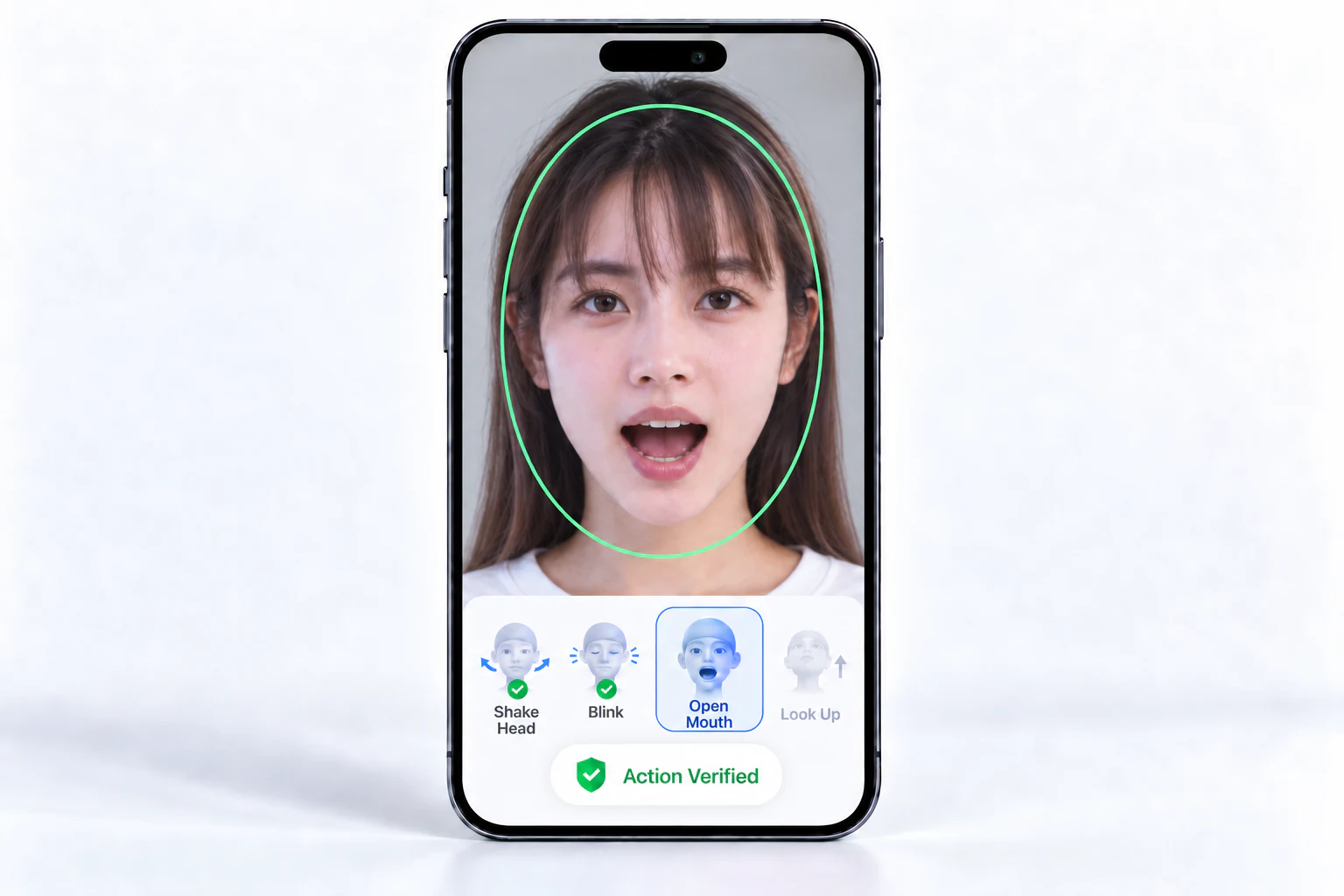
The Android example includes a Silent liveness score view and an Action liveness challenge flow. Try the Android app to compare their interaction styles before building a UI.
Optional Plus demos
The Android app’s Anti-fraud section includes Passive-RGB Liveness · PLUS and Color liveness · PLUS. Both combine local camera guidance with online verification: InspireFace locates the face and eye landmarks on the device, the app collects a complete round, and the service returns its liveness result. Recognition and identity matching remain separate steps.
The Android demo uses the following capture profiles:
| Flow | Captured input | Device requirements |
|---|---|---|
| Passive RGB | 20 consecutive valid RGB frames of the same face | Front camera and a network connection |
| Flash / Color | One captured sample for each white, red, green and blue phase | Front camera, compatible sensor timestamps, exposure/white-balance locks and a network connection |
To try either flow, install the Android example, open its PLUS entry and read the face-data notice. Camera preview begins after Agree and enter. Position one face inside the guide, wait until it is steady, then tap Start verification. The app uploads the sequence after capture completes.
Passive RGB capture
Passive capture keeps the screen’s normal appearance and asks the user only to face the camera. It fits a guided selfie flow where the application needs a short sequence without an action challenge or changing screen illumination.
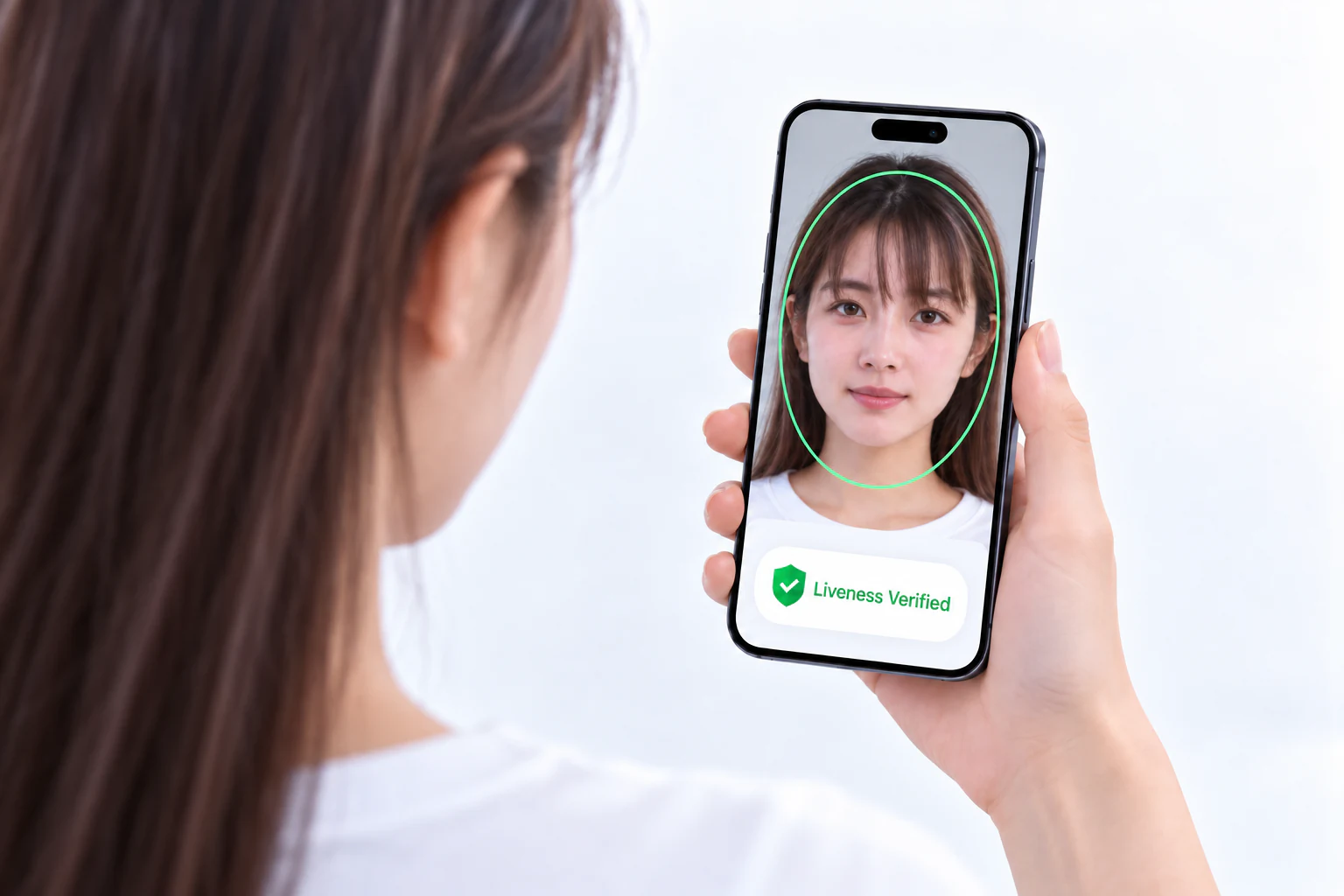
Keep the input sequence continuous. The demo collects 20 valid frames of the same tracked face, with increasing camera frame indices and timestamps. Each frame comes from a new camera observation; eye landmarks guide the face crop sent to the service.
A brief movement or blur can pause capture and restart the contiguous segment within the same round. Face loss, a second face, remaining outside the guide or excessive rotation stops the round and discards its collected inputs. After repositioning, the user starts a new round with a fresh sequence.
Flash capture
The app labels this entry Color liveness. The light source is the phone screen: it changes white → red → green → blue while the user looks at the camera. The captured images and their light-phase labels belong to one coordinated sequence.
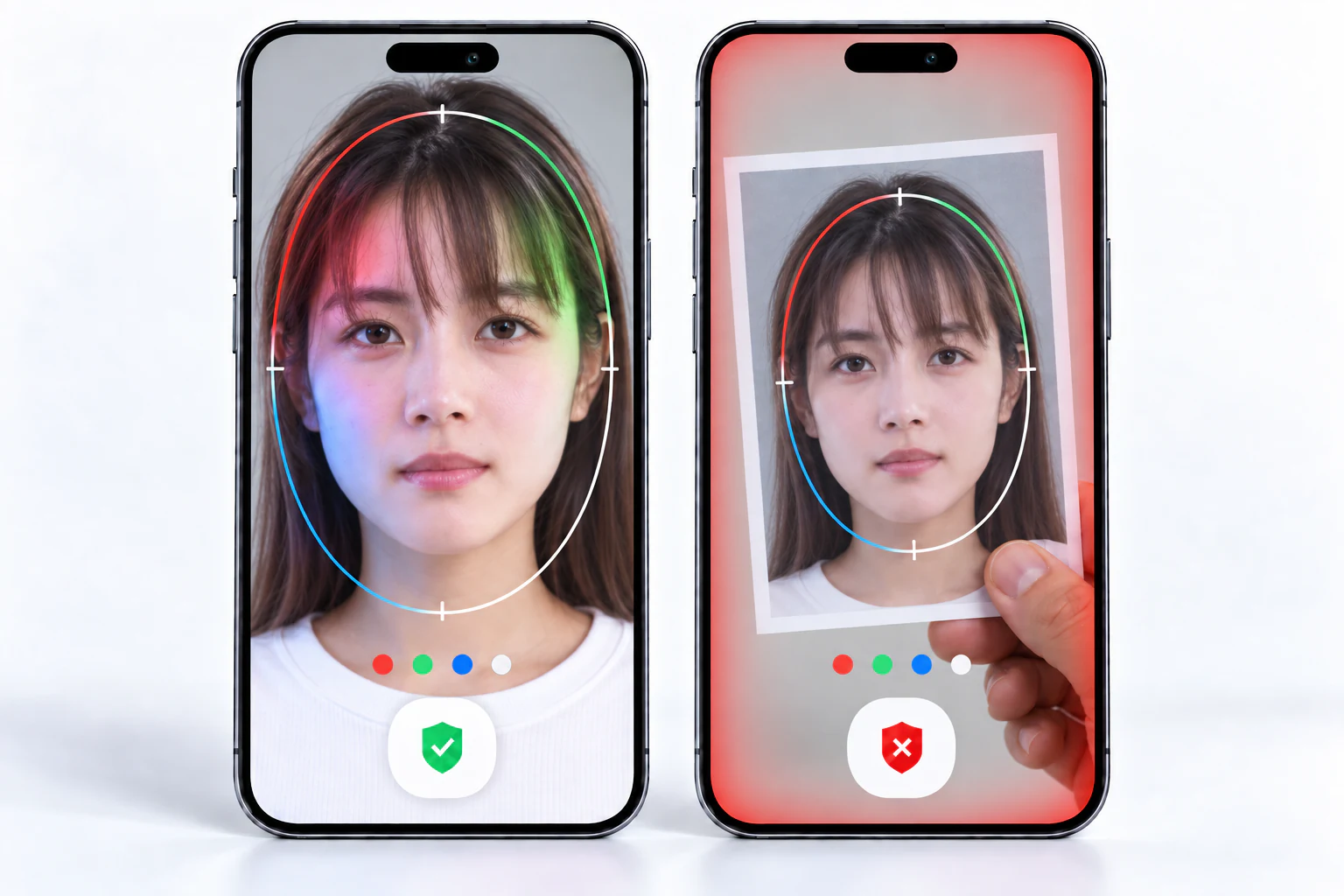
Before sampling, the demo warms up under white light, waits for exposure and white balance to settle, then locks them. For each phase, it changes the display immediately, waits for the new illumination to settle and chooses a camera frame with the corresponding timing. Four complete phase samples form the request.
Use a front camera with a REALTIME sensor timestamp source and support for AE/AWB locks. The demo checks these capabilities before capture and shows a message on unsupported devices.
Flash capture is useful when the application can own the display and camera for the verification step. Include screen brightness, ambient light and the target camera’s timing behavior in device tests. For a flow that keeps the screen unchanged, evaluate passive capture on the same target devices.
Read the verification result
A completed capture is prepared and uploaded once. The app shows the returned verdict separately from capture progress and transport errors:
| Result | Meaning | Application handling |
|---|---|---|
status=ok, alive=true | Verification passed for this capture. | Continue to the next step in the application. |
status=ok, alive=false | Verification did not pass. | Show the non-pass result and offer the next step defined by the application. |
status=retry | The service did not reach a conclusion; alive and score are null. | Ask for a new capture. |
| Network / service error | The request failed or no result was received. | Present a connection/service message; retry the same submission when permitted. |
| Capture interrupted | Local capture stopped before a complete request was ready. | Reposition the face and start a new round. |
For a response with status=ok, read alive for the verdict and score for the liveness score. Use the returned verdict to advance the verification flow.
For a retryable connection or response error, the demo retains the original request and capture ID to query or retry that round. Starting a new capture creates a new capture ID. Cancelling stops local capture or waiting; a request already accepted by the server may still finish.
Integrate a Plus flow
Organize the integration around these components:
| Component | Responsibility |
|---|---|
| Mobile capture | Camera permission, consent entry, face positioning, continuity, frame timestamps and screen/camera coordination when needed. |
| Local InspireFace | Face tracking and eye landmarks used to prepare the sequence. |
| Service request | Submit the complete capture with the required frame metadata, authentication and a stable ID for retries. |
| Result handling | Distinguish pass, non-pass, recapture and request failure; connect the accepted result to the application’s next step. |
The demo keeps capture images in memory for the active round. Explain the upload and retention behavior at the entry to the flow, and manage production service credentials through the application’s backend.
PLUS uses an online request after mobile capture. Configure the local SDK backend for face tracking and landmark processing, then follow the InspireFacePlus service documentation to submit the sequence and read its result. For commercial access, contact contact@insightface.ai with the platform, camera setup and intended workflow.