
Face analysis
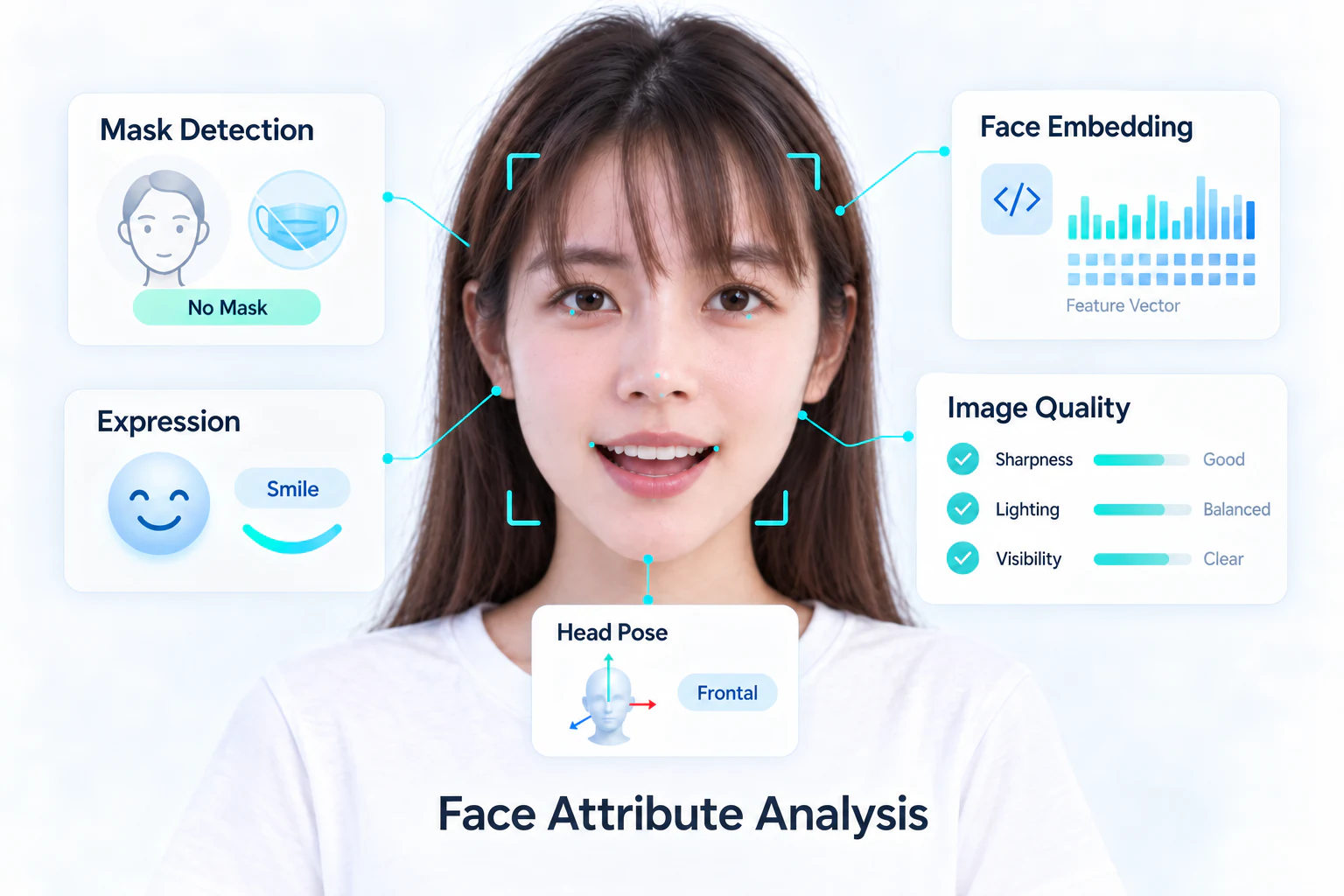
Quality, mask, attributes and expression are optional models. Enable only the outputs your application needs, then run the pipeline on detected faces from the same image. Read pose directly from the detection result.
Choose the outputs
| Output | Session option | How to use it |
|---|---|---|
| Quality | HF_ENABLE_QUALITY | Rank candidate face images; combine with face size, pose and stability for capture. |
| Mask | HF_ENABLE_MASK_DETECT | Read a mask confidence score for each face. |
| Attributes | HF_ENABLE_FACE_ATTRIBUTE | Read ageBracket, gender and race category indices. |
| Expression | HF_ENABLE_FACE_EMOTION | Read the emotion category index. |
| Pose | HF_ENABLE_FACE_POSE | Read roll, yaw and pitch from detection results. |
| RGB liveness | HF_ENABLE_LIVENESS | Use the liveness guide for scores and threshold evaluation. |
| Eye state / actions | HF_ENABLE_INTERACTION | Use the action example for consecutive frames and challenge state. |
Use quality scores to rank images, and map attribute and expression indices to their labels. Expression describes the visible facial expression in the input image. Keep the label order matched to the model and wrapper version.
Start with one output
First enable quality alone and inspect a few clear and blurred inputs. Add the other models when their outputs are used by the application. Loading every option increases setup and per-frame work.
Read analysis results
Select an API below. These helpers process one still image using a newly created session, so they can be called from the platform's basic detection example. Launch the SDK and prepare the input first; C, C++, Apple, Android, HarmonyOS and Python cover that setup. In a video application, move session creation outside the frame loop.
Pass a valid HFImageStream. The helper returns 1 for success, including zero faces, and 0 for an SDK or result-count failure. It releases its own session, leaving the caller's stream open.
C API — Complete analysis example
#include <stdio.h>
#include <inspireface.h>

/* Runtime is launched; the caller owns stream. Returns 1 on success. */
int analyze_frame(HFImageStream stream) {
    const HInt32 pipeline = HF_ENABLE_QUALITY | HF_ENABLE_MASK_DETECT |
                           HF_ENABLE_FACE_ATTRIBUTE | HF_ENABLE_FACE_EMOTION;
    HFSession session = NULL;
    HFMultipleFaceData faces = {0};
    HFFaceQualityConfidence quality = {0};
    HFFaceMaskConfidence masks = {0};
    HFFaceAttributeResult attributes = {0};
    HFFaceEmotionResult expressions = {0};
    int ok = 0;
    if (HFCreateInspireFaceSessionOptional(
            pipeline | HF_ENABLE_FACE_POSE, HF_DETECT_MODE_ALWAYS_DETECT,
            10, 320, -1, &session) != HSUCCEED) return 0;
    if (HFExecuteFaceTrack(session, stream, &faces) != HSUCCEED) goto done;
    if (faces.detectedNum == 0) { ok = 1; goto done; }
    if (HFMultipleFacePipelineProcessOptional(session, stream, &faces, pipeline)
            != HSUCCEED) goto done;
    if (HFGetFaceQualityConfidence(session, &quality) != HSUCCEED ||
        HFGetFaceMaskConfidence(session, &masks) != HSUCCEED ||
        HFGetFaceAttributeResult(session, &attributes) != HSUCCEED ||
        HFGetFaceEmotionResult(session, &expressions) != HSUCCEED) goto done;
    if (quality.num != faces.detectedNum || masks.num != faces.detectedNum ||
        attributes.num != faces.detectedNum || expressions.num != faces.detectedNum)
        goto done;
    for (HInt32 i = 0; i < faces.detectedNum; ++i) {
        printf("face=%d quality=%.3f mask=%.3f age=%d gender=%d race=%d emotion=%d\n",
               (int)i, quality.confidence[i], masks.confidence[i],
               (int)attributes.ageBracket[i], (int)attributes.gender[i],
               (int)attributes.race[i], (int)expressions.emotion[i]);
        printf("roll=%.2f yaw=%.2f pitch=%.2f\n",
               faces.angles.roll[i], faces.angles.yaw[i], faces.angles.pitch[i]);
    }
    ok = 1;
done:
    HFReleaseInspireFaceSession(session);
    return ok;
}
Pass a FrameProcess whose source pixels remain valid. Result vectors follow the order of faces; the session is released automatically when the helper returns.
C++ — Complete analysis example
#include <iostream>
#include <vector>
#include <inspireface/inspireface.hpp>

// Runtime is launched; frame borrows the caller's image pixels.
bool AnalyzeFrame(inspirecv::FrameProcess& frame) {
    inspire::CustomPipelineParameter options;
    options.enable_face_quality = true;
    options.enable_mask_detect = true;
    options.enable_face_attribute = true;
    options.enable_face_emotion = true;
    options.enable_face_pose = true;
    auto session = inspire::Session::Create(
        inspire::DETECT_MODE_ALWAYS_DETECT, 10, options, 320);
    std::vector<inspire::FaceTrackWrap> faces;
    if (session.FaceDetectAndTrack(frame, faces) != 0) return false;
    if (faces.empty()) return true;
    if (session.MultipleFacePipelineProcess(frame, options, faces) != 0) return false;
    auto quality = session.GetFaceQualityConfidence();
    auto masks = session.GetFaceMaskConfidence();
    auto attributes = session.GetFaceAttributeResult();
    auto expressions = session.GetFaceEmotionResult();
    if (quality.size() != faces.size() || masks.size() != faces.size() ||
        attributes.size() != faces.size() || expressions.size() != faces.size())
        return false;
    for (size_t i = 0; i < faces.size(); ++i) {
        const auto& pose = faces[i].face3DAngle;
        std::cout << "quality=" << quality[i] << " mask=" << masks[i]
                  << " age=" << attributes[i].ageBracket
                  << " gender=" << attributes[i].gender
                  << " race=" << attributes[i].race
                  << " emotion=" << expressions[i].emotion
                  << " roll=" << pose.roll << " yaw=" << pose.yaw
                  << " pitch=" << pose.pitch << '\n';
    }
    return true;  // Session releases its resources when leaving scope.
}
After runtime launch, pass the still image as an open IFImageStream. This helper creates and closes its own session. BOOL/NSError report failures. Getters borrow session arrays; copy any scores or labels needed by a later UI callback before this function returns.
Objective-C — Complete example
#import <InspireFace/InspireFaceApple.h>

static BOOL AnalyzeFrame(IFImageStream *stream, NSError **error) {
    HInt32 pipeline = HF_ENABLE_QUALITY | HF_ENABLE_MASK_DETECT |
        HF_ENABLE_FACE_ATTRIBUTE | HF_ENABLE_FACE_EMOTION;
    IFSession *session = [[IFSession alloc] initWithOptions:pipeline | HF_ENABLE_FACE_POSE
        mode:HF_DETECT_MODE_ALWAYS_DETECT maximumFaces:10 pixelLevel:320
        framesPerSecond:-1 error:error];
    if (session == nil) return NO;
    @try {
        HFMultipleFaceData faces = {0};
        if (![session trackStream:stream borrowedResult:&faces error:error]) return NO;
        if (faces.detectedNum == 0) return YES;
        if (![session processStream:stream faces:&faces options:pipeline error:error]) return NO;
        HFFaceQualityConfidence quality = {0};
        HFFaceMaskConfidence masks = {0};
        HFFaceAttributeResult attributes = {0};
        HFFaceEmotionResult expressions = {0};
        if (![session getBorrowedQualityConfidence:&quality error:error] ||
            ![session getBorrowedMaskConfidence:&masks error:error] ||
            ![session getBorrowedAttributes:&attributes error:error] ||
            ![session getBorrowedEmotions:&expressions error:error]) return NO;
        if (quality.num != faces.detectedNum || masks.num != faces.detectedNum ||
            attributes.num != faces.detectedNum || expressions.num != faces.detectedNum)
            return IFCheck(HERR_INVALID_PARAM, error);
        for (HInt32 i = 0; i < faces.detectedNum; ++i) {
            NSLog(@"quality=%.3f mask=%.3f age=%d gender=%d race=%d emotion=%d",
                quality.confidence[i], masks.confidence[i], attributes.ageBracket[i],
                attributes.gender[i], attributes.race[i], expressions.emotion[i]);
            NSLog(@"roll=%.2f yaw=%.2f pitch=%.2f", faces.angles.roll[i],
                faces.angles.yaw[i], faces.angles.pitch[i]);
        }
        return YES;
    } @finally {
        [session closeWithError:NULL];
    }
}
Pass an open stream after runtime launch. The helper owns its temporary session; the caller owns the stream. It enables pose at session creation, runs only the requested pipeline models and reads every output before closing the session. Failures throw.
Swift — Complete example
import InspireFaceSwift

func analyzeFrame(stream: ImageStream) throws {
    let pipeline: FaceFeatures = [.quality, .mask, .attributes, .emotion]
    let session = try FaceSession(configuration: SessionConfiguration(
        features: pipeline.union(.pose), maximumFaces: 10, pixelLevel: 320))
    defer { try? session.close() }
    try session.withUnsafeFaces(in: stream) { borrowed in
        guard borrowed.count > 0 else { return }
        var faces = borrowed.cValue
        try session.process(stream, faces: &faces, options: Int32(pipeline.rawValue))
        var quality = HFFaceQualityConfidence()
        var masks = HFFaceMaskConfidence()
        var attributes = HFFaceAttributeResult()
        var expressions = HFFaceEmotionResult()
        try session.getBorrowedQualityConfidence(&quality)
        try session.getBorrowedMaskConfidence(&masks)
        try session.getBorrowedAttributes(&attributes)
        try session.getBorrowedEmotions(&expressions)
        guard quality.num == faces.detectedNum, masks.num == faces.detectedNum,
              attributes.num == faces.detectedNum, expressions.num == faces.detectedNum else {
            throw NSError(domain: IFErrorDomain, code: Int(HERR_INVALID_PARAM))
        }
        for i in 0..<borrowed.count {
            print("quality=\(quality.confidence[i]) mask=\(masks.confidence[i])")
            print("age=\(attributes.ageBracket[i]) gender=\(attributes.gender[i]) race=\(attributes.race[i])")
            print("emotion=\(expressions.emotion[i])")
            print("roll=\(borrowed.roll[i]) yaw=\(borrowed.yaw[i]) pitch=\(borrowed.pitch[i])")
        }
    }
}
This example uses the 1.2.0 Java package for quality, mask and attributes. With that package and its matching native library, enabling quality also loads the pose model. Read pose from faces.angles[0]: this version provides a usable pose result for the first face only. Use the same Java/native pair when following this example.
Android — Complete analysis example
import com.insightface.sdk.inspireface.InspireFace;
import com.insightface.sdk.inspireface.base.*;

public final class AnalysisExample {
    // GlobalLaunch has succeeded; the caller keeps stream alive.
    public static void analyze(ImageStream stream) {
        CustomParameter options = InspireFace.CreateCustomParameter()
                .enableFaceQuality(true)
                .enableMaskDetect(true)
                .enableFaceAttribute(true);
        Session session = InspireFace.CreateSession(
                options, InspireFace.DETECT_MODE_ALWAYS_DETECT, 10, 320, -1);
        if (session == null || session.handle == 0L)
            throw new IllegalStateException("Cannot create session");
        try {
            MultipleFaceData faces = InspireFace.ExecuteFaceTrack(session, stream);
            if (faces == null) throw new IllegalStateException("Detection failed");
            if (faces.detectedNum == 0) return;
            if (!InspireFace.MultipleFacePipelineProcess(session, stream, faces, options))
                throw new IllegalStateException("Pipeline failed");
            FaceQualityConfidence quality = InspireFace.GetFaceQualityConfidence(session);
            FaceMaskConfidence masks = InspireFace.GetFaceMaskConfidence(session);
            FaceAttributeResult attributes = InspireFace.GetFaceAttributeResult(session);
            if (quality == null || masks == null || attributes == null ||
                    quality.num != faces.detectedNum || masks.num != faces.detectedNum ||
                    attributes.num != faces.detectedNum)
                throw new IllegalStateException("Incomplete pipeline result");
            for (int i = 0; i < faces.detectedNum; ++i) {
                System.out.println("quality=" + quality.confidence[i]
                        + " mask=" + masks.confidence[i]
                        + " age=" + attributes.ageBracket[i]
                        + " gender=" + attributes.gender[i]
                        + " race=" + attributes.race[i]);
                // The 1.2.0 JNI has a multi-face pose-copy bug; only read face 0.
                if (i == 0 && faces.angles != null && faces.angles.length > 0 && faces.angles[0] != null) {
                    FaceEulerAngle pose = faces.angles[i];
                    System.out.println("roll=" + pose.roll + " yaw=" + pose.yaw
                            + " pitch=" + pose.pitch);
                }
            }
        } finally {
            InspireFace.ReleaseSession(session);
        }
    }
}
Launch the SDK first, then pass an open ImageStream. The helper creates and closes its session; the caller closes the stream after use. Pipeline arrays follow faces.faces order, and pose is read from each tracked face.
HarmonyOS — Complete analysis example
import { DetectMode, Feature, ImageStream, Session }
  from '@hyperinspire/inspireface';

function analyzeFrame(stream: ImageStream): void {
  const pipeline = Feature.QUALITY | Feature.MASK_DETECT |
    Feature.FACE_ATTRIBUTE | Feature.FACE_EMOTION;
  const session = new Session({
    featureMask: pipeline | Feature.FACE_POSE,
    detectMode: DetectMode.ALWAYS_DETECT,
    maxFaces: 10,
    detectPixelLevel: 320
  });
  try {
    const faces = session.track(stream);
    try {
      if (faces.detectedNum === 0) return;
      const result = session.processPipeline(stream, faces, pipeline);
      for (let i = 0; i < faces.detectedNum; ++i) {
        const face = faces.faces[i];
        console.info(`quality=${result.qualityConfidence[i]} mask=${result.maskConfidence[i]}`);
        console.info(`age=${result.ageBracket[i]} gender=${result.gender[i]} race=${result.race[i]}`);
        console.info(`emotion=${result.emotion[i]}`);
        console.info(`roll=${face.roll} yaw=${face.yaw} pitch=${face.pitch}`);
      }
    } finally {
      session.releaseFaceResult(faces);
    }
  } finally {
    session.close();
  }
}
Use the 1.2.4 source wrapper with its matching native library for the context manager and auto_launch=False. Supply a BGR uint8 array. Native failures raise an exception; an image with no faces returns an empty list.
Python — Complete analysis example
import inspireface as isf


def analyze_frame(image):
    # launch(resource_path=...) has succeeded; image is a BGR uint8 array.
    pipeline = (isf.HF_ENABLE_QUALITY | isf.HF_ENABLE_MASK_DETECT |
                isf.HF_ENABLE_FACE_ATTRIBUTE | isf.HF_ENABLE_FACE_EMOTION)
    with isf.InspireFaceSession(
        pipeline | isf.HF_ENABLE_FACE_POSE,
        isf.HF_DETECT_MODE_ALWAYS_DETECT,
        max_detect_num=10, detect_pixel_level=320, auto_launch=False,
    ) as session:
        faces = session.face_detection(image)
        results = session.face_pipeline(image, faces, pipeline) if faces else []
        if len(results) != len(faces):
            raise RuntimeError("Incomplete pipeline result")
        for face, result in zip(faces, results):
            print("quality=", result.quality_confidence,
                  "mask=", result.mask_confidence,
                  "age=", result.age_bracket,
                  "gender=", result.gender,
                  "race=", result.race,
                  "emotion=", result.emotion)
            print("roll=", face.roll, "yaw=", face.yaw, "pitch=", face.pitch)
        return results
Interpret the outputs
| Output | Meaning and checks |
|---|---|
| Quality | Higher scores favor a usable face image. Evaluate your input conditions before choosing a cutoff; size, sharpness, brightness and pose remain separate checks. |
| Mask | A score for mask presence. Compare the score with a threshold evaluated on your intended cameras. |
| Attributes | Integer category indices. Check the index range, then map each index to its label. |
| Expression | Index order: Neutral, Happy, Sad, Surprise, Fear, Disgust, Anger. |
| Pose | Roll, yaw and pitch angles. In C/C++/Python, enable HF_ENABLE_FACE_POSE or its C++ option before reading these angles. Objective-C also uses HF_ENABLE_FACE_POSE; Swift uses .pose in FaceFeatures. HarmonyOS uses Feature.FACE_POSE. |
The complete attribute label arrays are shown in the Python analysis reference. Keep the input pixels unchanged until the pipeline finishes, then draw or reuse the buffer. C, Objective-C and Swift getter arrays are borrowed from the session; copy values you need after the next pipeline call or after closing the session. C++ vectors and Python results have their own storage.
When upgrading Android, update the Java package and its matching JNI/native library together. The API index lists the analysis outputs available in each interface.
Use analysis in a capture flow
For enrollment, first require one intended face, then check size and position, followed by quality and pose. Use face capture when these checks should hold over time and the application needs a selected frame. Copy or retain that frame before extracting its embedding.
For a preview UI, copy the scores and geometry you need, then release frame resources. Convert the geometry with the preview's crop, scale and mirror transform; see image coordinates.